
Getting Started
Welcome to NammaDoctor! This guide will help you set up your account so you can start booking appointments and tracking your live queue status.
Creating Your Account
Signing up takes just a few minutes. You'll need your mobile number to get started.
Why Create an Account?
- Book appointments with your favorite doctors
- Track your position in the queue in real-time
- View your appointment history anytime
- Get SMS reminders before your appointments
Step 1: Enter Your Mobile Number
- Click "Sign Up" in the top navigation.
- Type your 10-digit mobile number (example: 9876543210).
- Click "Continue".
Tip: We recommend using your mobile number to receive appointment reminders via SMS. You can also use your email address.
Step 2: Verify with OTP
You'll receive a 6-digit code via SMS (or email).
- Enter the code you received.
- Click "Verify".
Didn't receive the code?
- Wait 1-2 minutes.
- Check your spam folder (if using email).
- Click "Resend Code" to get a new one.
Step 3: Complete Your Profile
Fill in a few details to finish setting up:
- Full Name: Your first and last name.
- Create a Password: Choose something secure.
- Gender & Birth Year (Optional): Helps doctors provide better care.
- Agree to the Terms of Service and click "Create Account".
Logging In
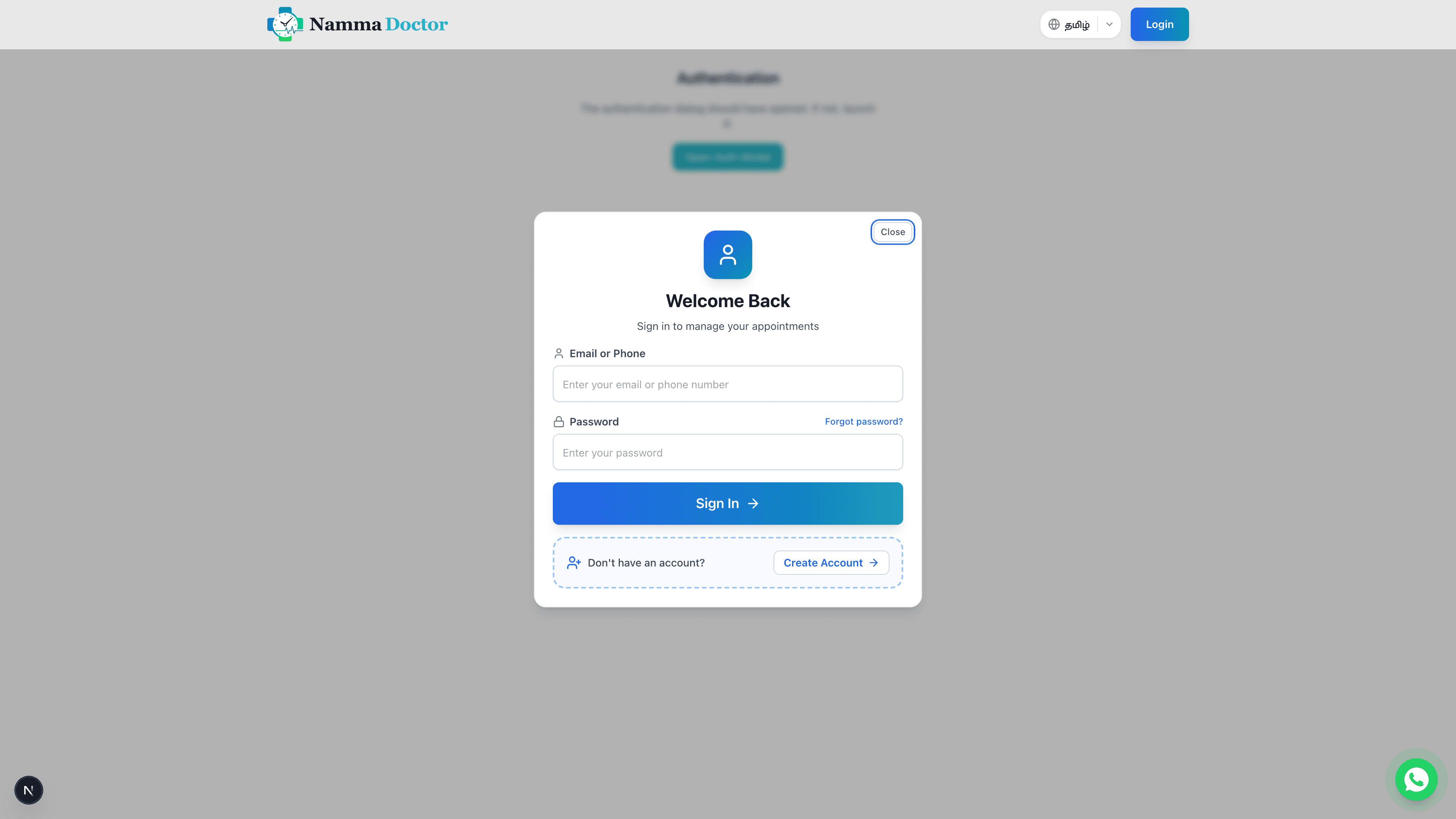
Once registered, you can log in to access your dashboard.
- Click "Login" at the top right of the homepage.
- Enter your registered Mobile Number or Email.
- Enter your Password.
- Click Sign In.
Note: If you forget your password, use the "Forgot Password" link to reset it via email or SMS.
Managing Your Profile
Keep your profile up to date to ensure doctors have the correct information.
- Click on your Avatar or Name in the top navigation bar.
- Select Profile or Account Settings.
- Here you can:
- Update your Name and Contact Information.
- Change your Password.
- Manage notification preferences.
Troubleshooting
If you're having trouble signing up or logging in:
- Check your number: Make sure you entered the correct mobile number.
- Network issues: Ensure you have SMS reception.
- Clear cache: Try clearing your browser cache or using a different browser.
Still stuck? Contact our support team for help.
Next Steps
Now that you are set up, check out our Patient Guide to learn how to find doctors, book appointments, and use the live queue.